
- Developer
- Roblox Corporation
- Installs
- 1B+
- Downloads
- 0
- Views
- 3
- Updated
- Oct 14, 2026
Screenshots
About Roblox for Android: Download, Features & Requirements
Learn about Roblox for Android, its games, avatar features, system requirements, official download, in-app purchases, and safety settings.
Roblox for Android: Download, Features, Gameplay, and System Requirements
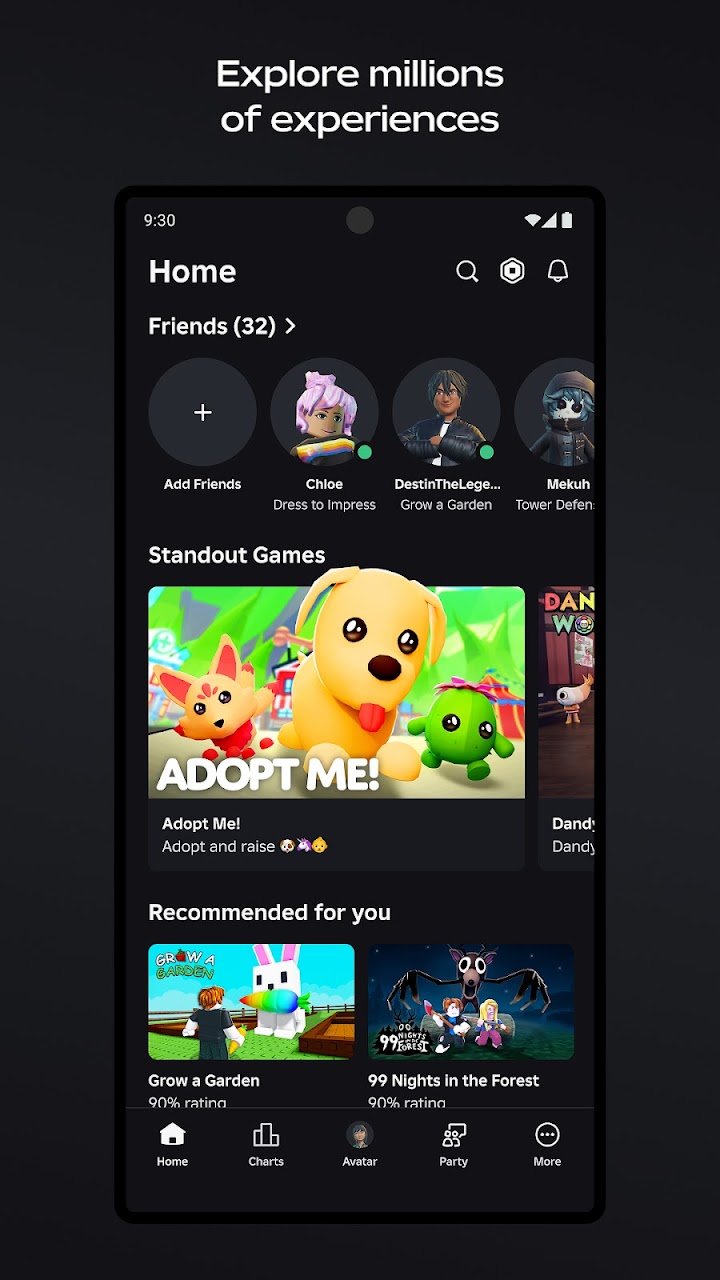
Roblox is an online gaming platform where you can discover thousands of user-created experiences, customize your avatar, play with friends, and explore genres ranging from role-playing and racing to simulation, horror, and adventure. The official Android app is published by Roblox Corporation and is available through Google Play.
Unlike a traditional game built around one storyline, Roblox brings many different experiences together in one platform. You can jump into a short obstacle course, spend time in a role-playing world, compete in multiplayer battles, or explore games created by independent developers.
Roblox: App Information
| App name | Roblox |
|---|---|
| Developer | Roblox Corporation |
| Package name | com.roblox.client |
| Platform | Android |
| Category | Online gaming platform |
| Minimum Android version | Android 8.0 or higher, subject to current official requirements |
| Graphics requirement | OpenGL ES 3.0 support |
| Internet | Required; Wi-Fi is recommended |
| Pricing | Free to download, with in-app purchases |
| Official download | Google Play |
| Official website | Roblox.com |
| Game creation | Roblox creation resources |
Requirements, availability, and store information may change. Check the official listing and support documentation for the latest details.
What Makes Roblox Different From a Regular Mobile Game?
Roblox is a platform for playing and creating games rather than a single game with one fixed objective. Its library includes experiences made by Roblox users and development teams, giving players a wide range of gameplay styles within one account.
Some experiences emphasize competition, while others focus on building, collecting, social interaction, exploration, or storytelling. New experiences can appear as creators publish their work, so the content available on the platform changes over time.
Main Features of Roblox
1. Explore Games Across Different Genres
Roblox offers experiences across a broad range of genres. Depending on what you enjoy, you can look for:
- Role-playing games: Explore fictional worlds, interact with other players, and develop a character.
- Simulation games: Manage virtual activities, build collections, or progress through simulated environments.
- Racing and action games: Compete against other players or complete skill-based challenges.
- Tycoon and building games: Develop virtual businesses, expand structures, and unlock upgrades.
- Horror and adventure games: Solve challenges, explore unusual environments, or play through suspenseful scenarios.
- Social experiences: Meet friends, customize your character, and spend time in virtual spaces.
The exact mechanics, quality, and content depend on the individual experience. Check its description and content label before joining.
2. Customize Your Avatar
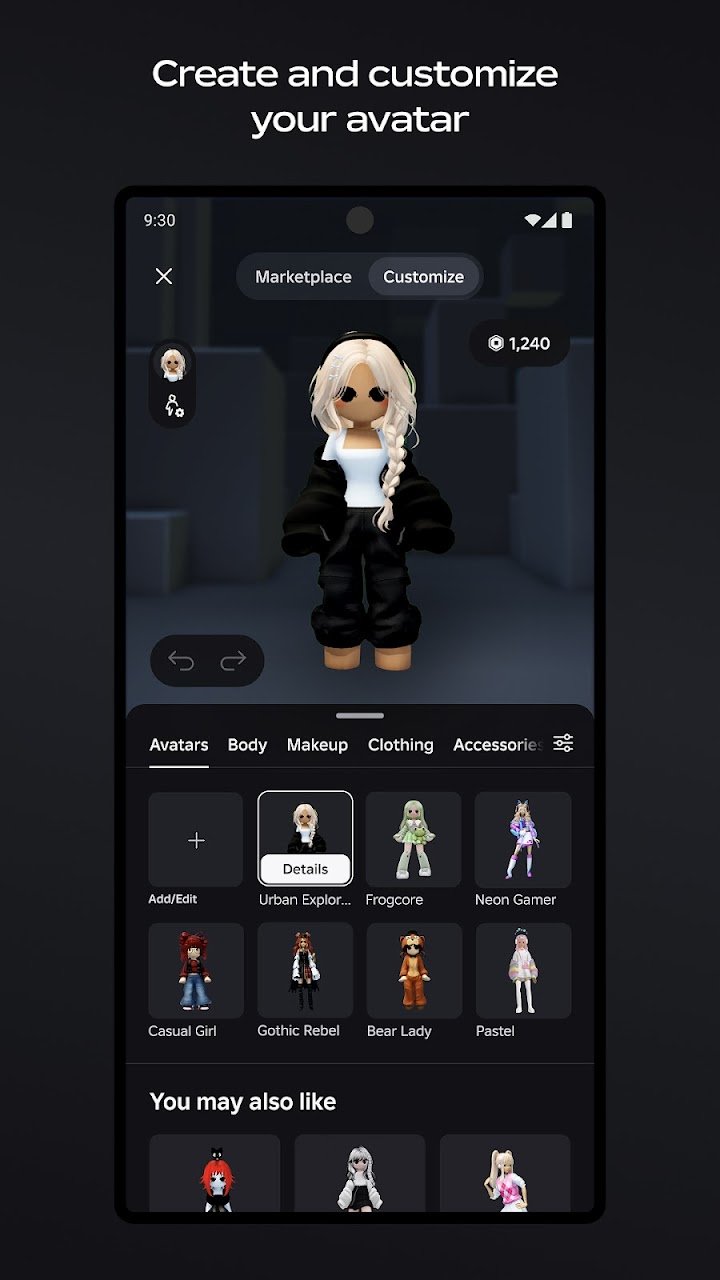
Roblox lets players personalize their virtual appearance using avatar clothing, accessories, hairstyles, and other available items. The Marketplace provides additional items created for the platform.
Some customization options can be obtained without spending money, while others require Robux or may be subject to other restrictions. Review the price before confirming a purchase.
3. Play With Friends Across Supported Devices
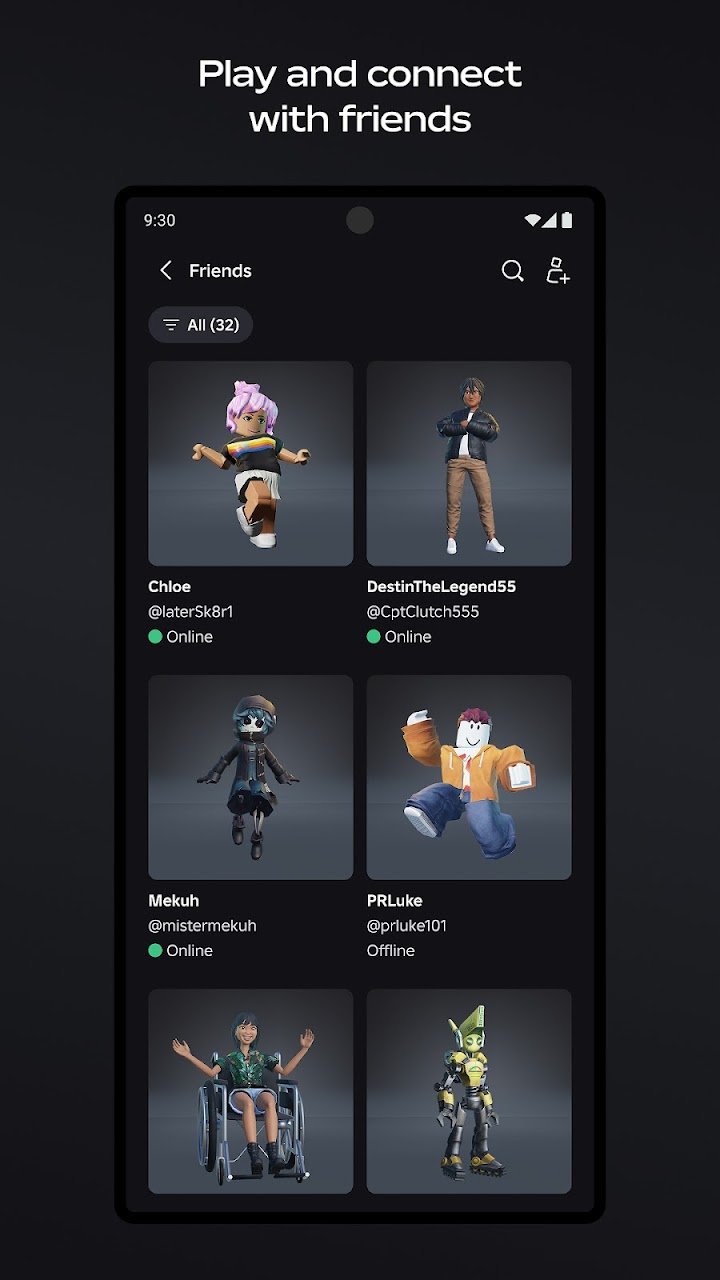
Roblox supports multiplayer experiences across supported devices, including mobile devices, computers, consoles, and VR headsets. Cross-platform play makes it possible to join friends without everyone necessarily using the same type of device, although support can vary by experience.
Before joining a friend, make sure you are using the correct account and that the experience supports your device. Some experiences may also have access restrictions or private-server settings.
4. Use Chat and Other Communication Features
Eligible users can access communication features such as experience chat, direct chat, and voice chat in supported contexts.
Roblox has age-check requirements for its chat features. Available features and parental-consent requirements depend on age group, region, and account settings. Review the current Roblox Help Center for the applicable requirements.
For younger players, parents should review communication permissions and account controls rather than assuming every chat feature is automatically available or appropriate.
5. Create Games With Roblox Studio
Roblox is also a creation platform. Developers can use Roblox Studio on Windows or Mac to build interactive experiences, design environments, create gameplay systems, and publish their work for other players.
This makes Roblox relevant not only to players but also to people interested in game design, scripting, and building virtual worlds. The full development workflow is different from simply playing through the Android app.
Visit the official Roblox creation page to explore development tools and resources.
6. Discover Popular Experiences
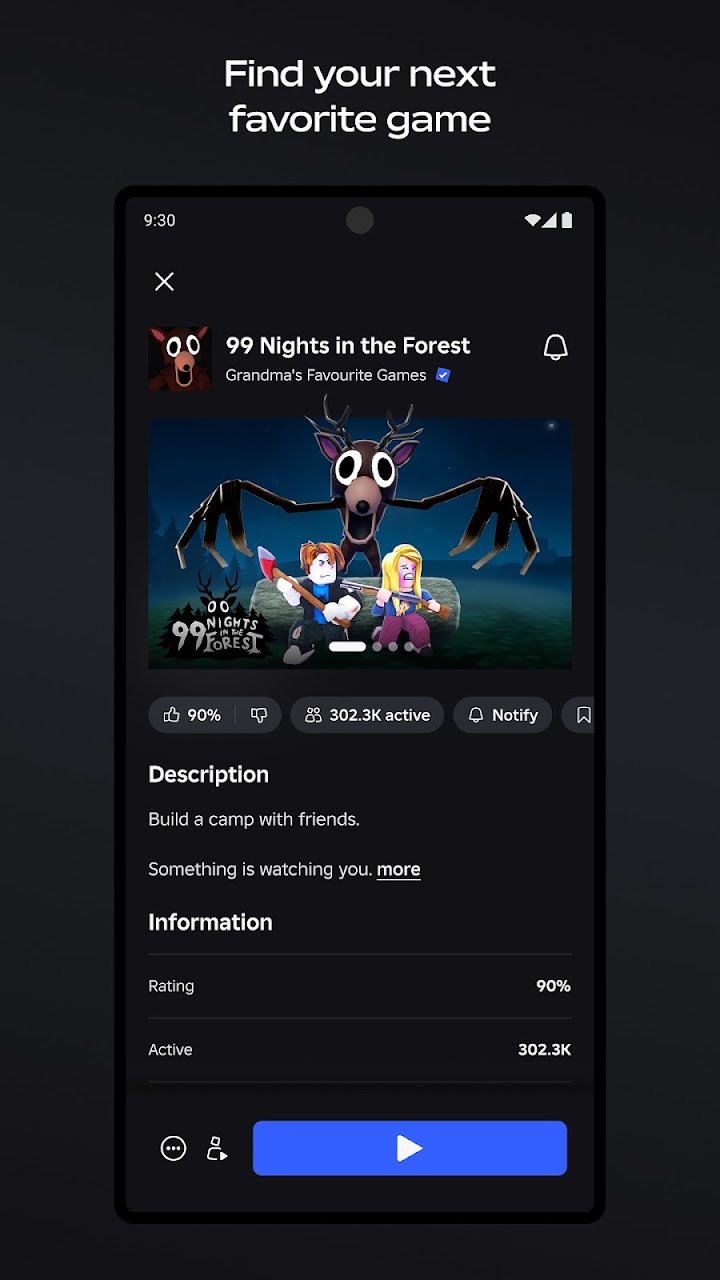
Roblox's library includes well-known experiences such as Dress to Impress, Brookhaven RP, Adopt Me!, RIVALS, and Steal a Brainrot. Availability and popularity can change as new games emerge.
Rather than choosing an experience solely because it is trending, read its description and check its content label, gameplay style, and purchase options to see whether it suits you.
Is Roblox Free to Play?
Roblox is free to download, and many experiences can be played without making a purchase. However, the platform also supports in-game purchases and uses a virtual currency called Robux.
Depending on the experience, spending may unlock avatar items, upgrades, additional features, or other digital content. Some purchases can include random items, so review the terms and price before spending.
- Check whether an item is cosmetic or changes gameplay.
- Review the total price before confirming a transaction.
- Set spending limits if a child uses the account.
- Do not trust unofficial websites promising free Robux in exchange for passwords or account details.
What Is Roblox Plus?
Roblox Plus is an optional subscription separate from the standard Roblox app. Published subscription information describes benefits such as discounts on eligible purchases, private-server benefits, and additional profile or avatar-related features.
Subscription terms and benefits can change. Check the official Roblox Plus page before subscribing. A subscription should not be assumed necessary simply to start playing Roblox.
Roblox Android System Requirements
Roblox's published mobile requirements specify Android 8.0 or newer and graphics support for OpenGL ES 3.0 or higher. The platform also recommends a stable internet connection.
Meeting the minimum requirements does not guarantee smooth performance. Some experiences may be more demanding than others, and older devices can display compatibility warnings or experience lag.
- Open your phone's Settings.
- Select About phone.
- Open Software information, if available.
- Find the listed Android version.
- Compare it with the current requirements on the official Roblox support site.
Roblox does not publish one universal performance guarantee for every Android device. If your phone is compatible but gameplay runs poorly, the experience's graphics demands, device hardware, and network conditions may all be relevant.
How to Download and Install Roblox on Android
The simplest option is to install the app from its official Google Play listing.
- Open the Roblox page on Google Play.
- Confirm that the developer is Roblox Corporation.
- Tap Install if the app is available for your device and region.
- Wait for the installation to finish.
- Open Roblox and sign in, or follow the account-creation process if you are new.
- Browse the available experiences and select one you want to play.
You need an internet connection to use Roblox's online features. A stable Wi-Fi connection is recommended.
Should You Download a Roblox APK From Another Website?
For most Android users, Google Play is the recommended starting point. A third-party APK may be outdated, modified, incorrectly labeled, or distributed without the developer's authorization.
AppGameGuide does not provide an independently verified Roblox APK file on this page. We recommend using the official store listing rather than downloading an APK from an unknown source. Do not disable Google Play Protect or other security protections just to force an installation.
Safety, Privacy, and Parental Controls
Roblox includes moderation and safety features, but the platform's large collection of user-created experiences means that content and interactions can vary. Parents should not assume that every experience is suitable for every age.
The official Google Play listing provides content-rating and data-safety information. These disclosures can change, and data-safety information is provided by the developer rather than being an independent security audit.
For a more informed setup:
- Review the content label before a child joins an experience.
- Configure parental controls and communication settings.
- Discuss safe behavior when interacting with people online.
- Avoid sharing passwords, verification codes, personal addresses, or other sensitive details.
- Review purchase history and set appropriate spending boundaries.
- Use Roblox's official reporting and blocking tools if an interaction is concerning.
For additional guidance, visit the official Roblox Parents page and the Roblox Help Center.
Common Roblox Problems on Android
If Roblox will not open, fails to join an experience, or reports a compatibility problem, try these basic checks before reinstalling.
Roblox Will Not Open
Close the app completely and reopen it. If the issue continues, restart your phone and check Google Play for an available update.
Roblox Says the Device Is Incompatible
Check that your device meets the official Android and graphics requirements. Some devices may still be unsupported or may not run particular experiences smoothly.
Experiences Keep Disconnecting
Check your internet connection and try a stable Wi-Fi network. If other online apps also have trouble connecting, the issue may not be specific to Roblox.
A Purchase Does Not Appear
Confirm that you are signed in to the same Roblox account used for the purchase. Keep your Google Play receipt and consult official Roblox Android troubleshooting if the problem remains.
Where Should You Get More Help?
Use the official Roblox Support website for account access, purchase problems, installation errors, and other technical issues.
Roblox Alternatives
If you want a different kind of creative or multiplayer gaming experience, these established options may be worth considering. They are not exact replacements for Roblox, and their gameplay and purchase systems differ.
- Minecraft — a sandbox game focused on building, exploration, crafting, and survival. It may suit players who want a more consistent core game rather than a broad platform of separate user-created experiences.
- Fortnite — a gaming platform with competitive modes and additional creator-made experiences. Its gameplay focus and device requirements differ from Roblox.
- Roblox on other supported platforms — if your Android device is too slow, check Roblox's official platform options before assuming you need a different game. Not every experience or feature works identically across devices.
Choose based on the type of gameplay you enjoy, the devices you own, and whether you prefer a sandbox game, competitive action, or a broad library of online experiences.
Frequently Asked Questions
Is Roblox available for Android?
Yes. Roblox is available through its official Google Play listing for compatible Android devices. Check the current official system requirements before installing.
Is Roblox free to download?
Yes, Roblox is free to download. However, it supports in-app purchases, and some digital items or experience features may require Robux or other payments.
Can you play Roblox offline?
Roblox requires a network connection for its standard platform experience. You should not assume that the Android app works fully offline.
Can Android players play Roblox with PC users?
Roblox supports cross-platform multiplayer across supported devices. Whether players can join each other depends on the individual experience and its supported platforms.
Does Roblox let you create your own games?
Yes. Roblox Studio allows creators to develop and publish experiences using Windows or Mac. Visit Roblox's official creation resources to learn more.
Does Roblox require age verification for chat?
Roblox has age-check requirements for its communication features. Requirements may differ according to age, region, and account settings. Check the official support documentation for current rules.
Is Roblox safe for children?
Roblox has safety tools, moderation, and parental controls, but user-created experiences and online interactions can vary. Parents should review content labels, communication settings, spending options, and the official parental guidance before allowing a child to use the platform.
How do you fix Roblox if it does not work on Android?
Start by closing and reopening the app, restarting your device, checking your connection, and confirming compatibility. If the problem continues, follow the steps in the official Roblox Help Center.
Should You Download Roblox?
Roblox is worth considering if you want access to a wide variety of online experiences, avatar customization, multiplayer play, and a platform where users can also create games. Its greatest strength is the range of experiences available without having to install a separate app for each one.
Before installing, confirm your device meets the requirements and understand that purchases, communication features, and content suitability vary. For Android users, the best starting point is the official Roblox Google Play listing.
⬇ Download Roblox for Android: Download, Features & Requirements