Grand Line Blox Fruits Trade App: Features & Install Guide
BCast Dev Inc
- Developer
- BCast Dev Inc
- Installs
- 5K+
- Downloads
- 0
- Views
- 3
- Updated
- Oct 14, 2026
Screenshots
About Grand Line Blox Fruits Trade App: Features & Install Guide
Grand Line Blox Fruits Trade for Android: Features, Limits and Install Guide
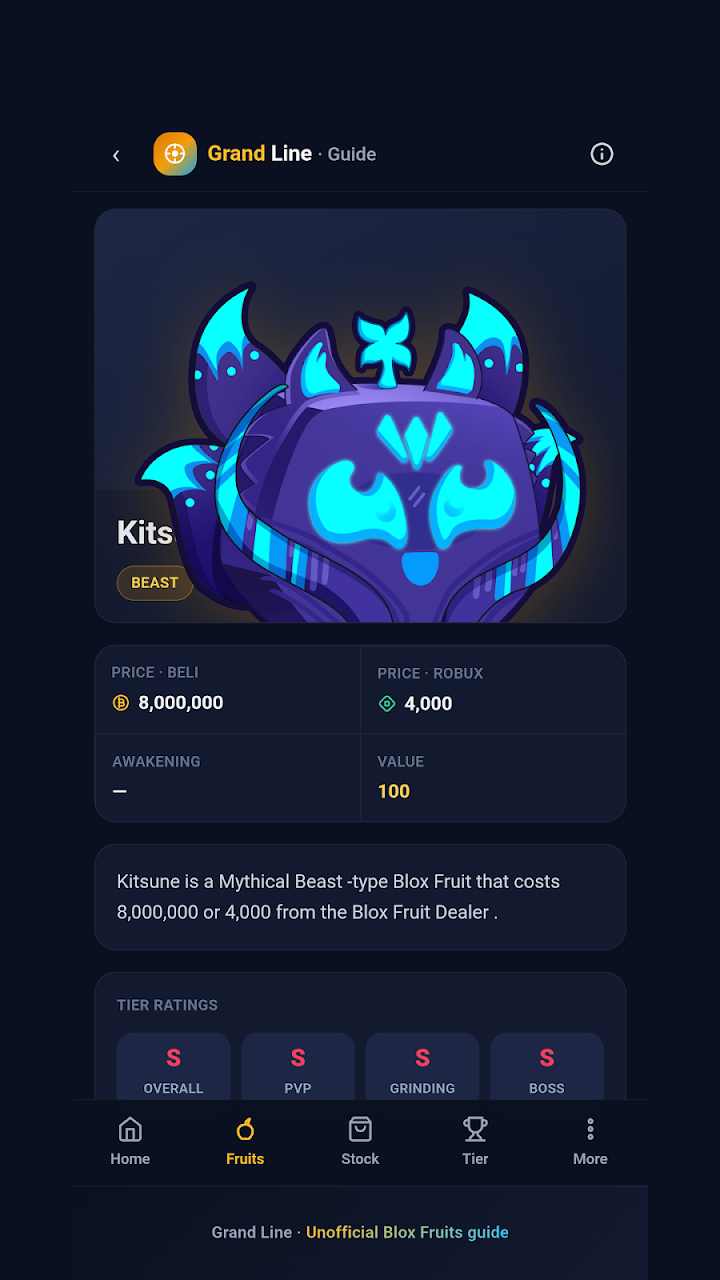
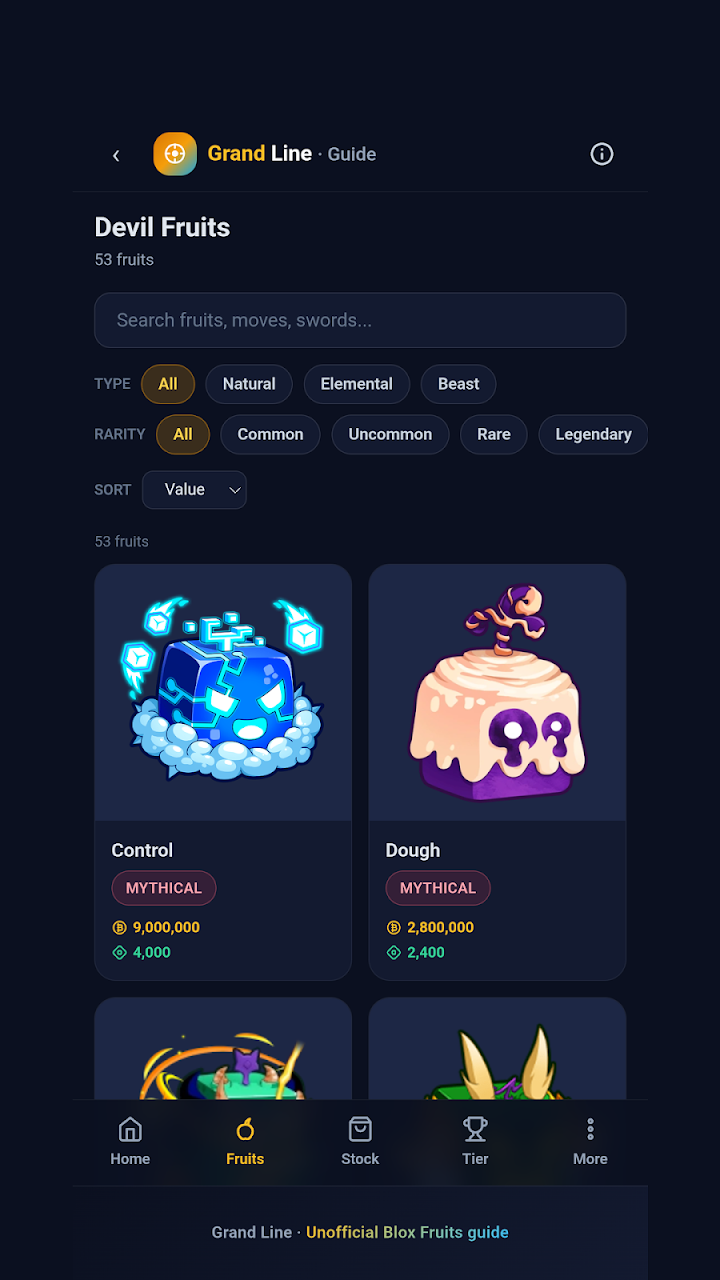
Grand Line Blox Fruits Trade is an unofficial Android reference app for players of Blox Fruits, the pirate MMO on Roblox. According to its Google Play listing, it bundles a fruit catalog, tier lists, dealer stock timers, a fruit comparator, redeem codes and written guides, so you can look things up without switching to a browser mid-session.
The name is slightly misleading. The listing's description does not mention a tool for judging trade offers, and in September 2026 the developer told a reviewer that trade options were planned for a later update. This guide covers what the app advertises, where its information has been questioned, what its privacy declarations say and how to install it from the right source. All details were checked on October 15, 2026.
Grand Line Blox Fruits Trade at a glance
| Detail | What the Google Play listing shows |
|---|---|
| App name on Google Play | Grand Line Blox Fruits Trade |
| Developer | BCast Dev Inc |
| Package ID | org.grandline.grandline |
| Platform | Android, distributed through Google Play |
| Category | Entertainment |
| Price and ads | Install button shown; labeled as containing ads |
| Downloads | 5K+ |
| Play rating | 3.4 average from 9 reviews (a very small sample) |
| Content rating | Rated for 3+ |
| Last updated on Google Play | September 10, 2026 |
| Languages (per the description) | English, Portuguese and Spanish |
| Affiliation | Fan-made; states it is not affiliated with Roblox Corporation or Gamer Robot Inc. |
The listing page reviewed for this guide did not show the current version number, download size or minimum Android version. Check those on the Play page for your own device before installing.
What does the app include?
The developer's description lists the sections below. This guide has not tested the app, so the list reflects what is advertised rather than what has been confirmed on a device.
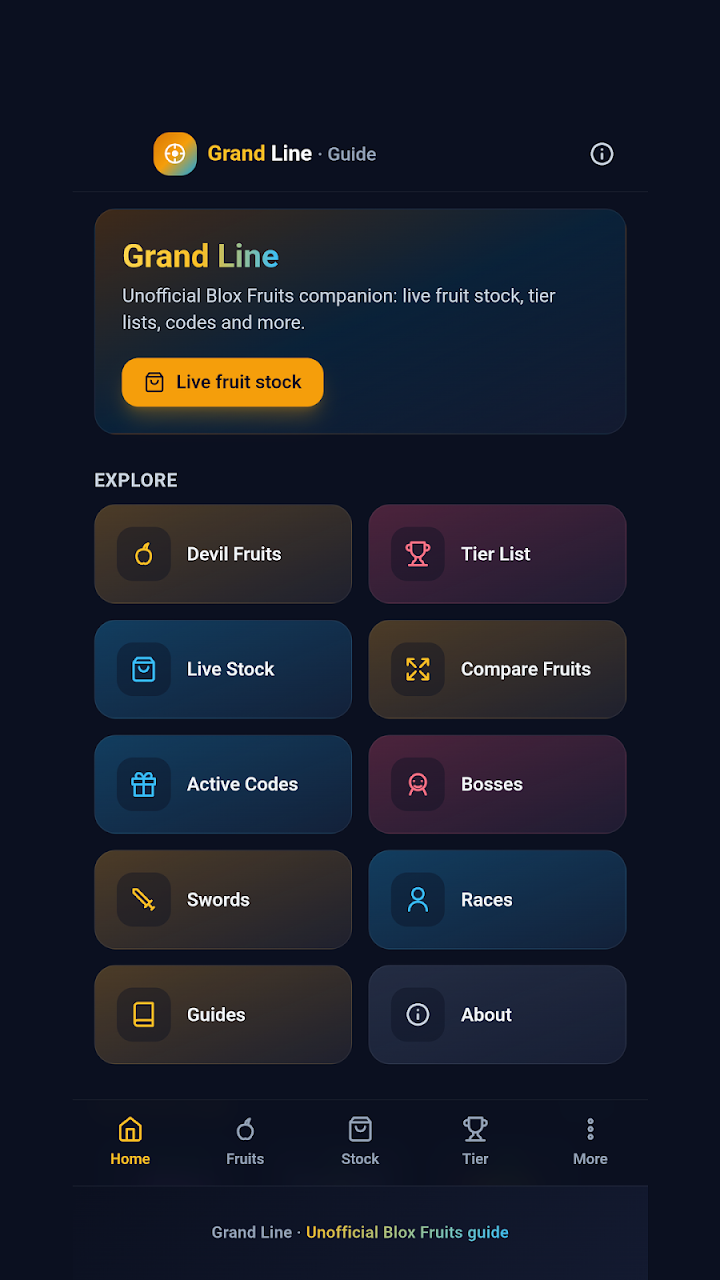
- Fruit catalog. Entries cover rarity, prices, awakening, moves and values. It is the part most players will open first, for example before spending in-game currency on a fruit.
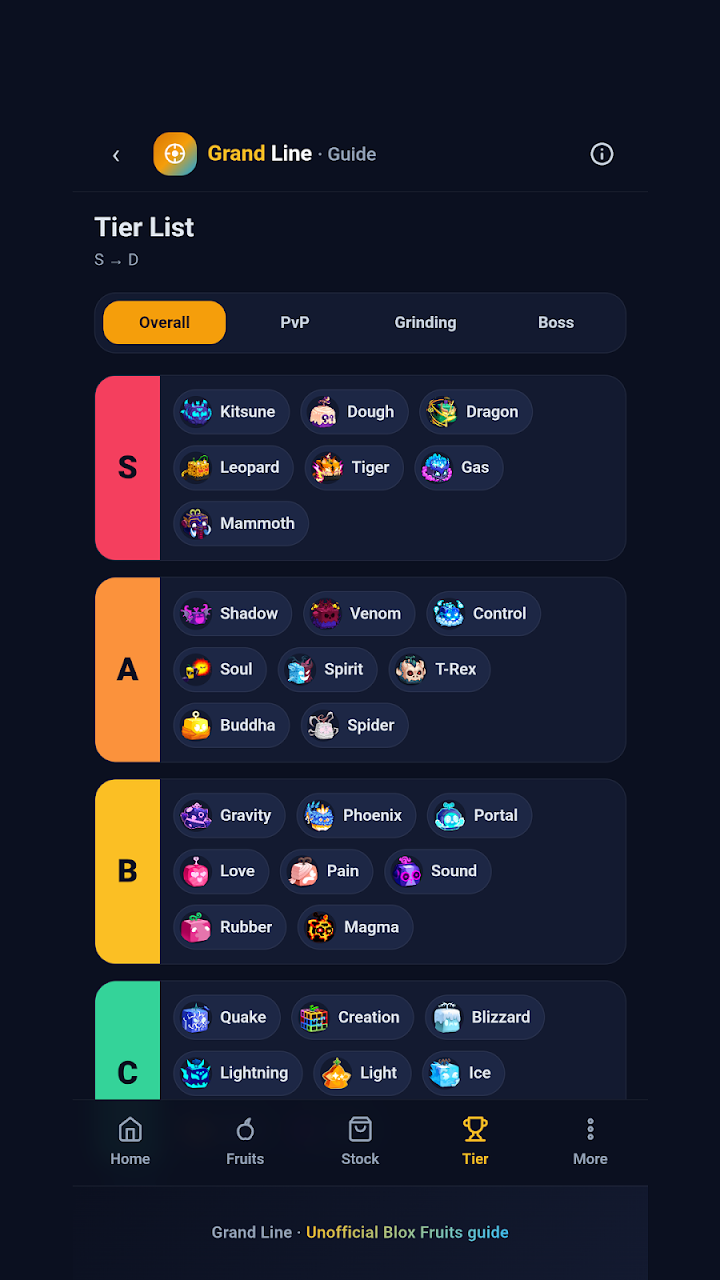
- Tier lists by playstyle. Separate lists are advertised for overall, PvP, grinding and boss use. Tier lists are opinion-based, so pick the list that matches what you actually do in the game.
- Dealer stock with a restock countdown. Both Normal and Mirage stock are listed. This helps if you are waiting for a particular fruit, but confirm against the in-game dealer before you plan around it.
- Side-by-side fruit comparator. Useful when you are deciding between two fruits for a build.
- Active codes with one-tap copy. Codes in Roblox games expire, so a copied code can still fail.
- Written guides. Topics range from beginner advice to endgame, including stat builds, raids and awakening.
- Bosses, swords and races. Bosses are described with level, island and drops.
The description also says the app does not contain the game and does not allow gameplay. It is informational content only, so you still need Roblox to play.
Does it have a trade calculator despite the name?
Not according to the listing. The description advertises fruit values and a side-by-side comparator, which can inform a trade, but it never describes a tool that scores an offer as a win, fair or loss. A reviewer asked for trade options on September 1, 2026, and the developer replied that they were coming in the next update.
If judging offers is your main goal, an app built for that may suit you better. Fruit Values Calculator, covered on its own AppGameGuide page, describes win, fair and loss comparisons and trade posts. Whatever tool you use, complete trades only through the in-game trade window and never hand over items outside it.
How reliable is the information inside?
Two reviewers in August 2026 reported mistakes in the swords, races and some fruit mastery details. The developer replied that it rechecked the data against a community wiki and corrected swords, races, bosses and guides in version 2.0.3. That is the developer's own account, and it has not been independently confirmed here.
The listing also says content is reviewed with every game update, and Google Play shows the app last updated on September 10, 2026. Neither statement tells you how current a specific value or ranking is today. For anything costly, such as an awakening or a fruit purchase, confirm the detail in the game itself. Community trade values in particular can shift quickly.
Does it work offline?
The description promises organized information without a browser, but it also advertises live dealer stock with a restock countdown. Live data normally needs a connection, and the listing does not say which sections work without one. If offline use matters to you, open the app once online, then switch on airplane mode and see which sections still load.
Is it safe? Ads, permissions and privacy
Google Play labels the app as containing ads. One reviewer described them as appearing only occasionally, and the developer said it would keep them light. Your experience may differ.
The Data safety section, as declared by the developer, states that no data is collected and none is shared with third parties. That is a self-declaration, not an independent audit. Because the app shows ads, read the full Data safety page and the privacy policy yourself. The policy link on the listing points to a different domain from the developer's listed website, which is worth noting when you read it.
- Never enter your Roblox password or verification codes into a companion app. It has no need for them.
- Review the permission prompts on your phone and decline anything unrelated to looking up game information.
- Avoid APK files from other websites. A file name cannot prove who built the file or what it contains.
How to install it from Google Play
- Open the Grand Line Blox Fruits Trade listing on Google Play on your Android phone, or search for the name in the Play Store app.
- Confirm the developer is BCast Dev Inc and that the package ID in the web address ends with
org.grandline.grandline. Several Blox Fruits companion apps have similar names. - Read the Data safety section and the current reviews.
- Tap Install if Google Play offers the app for your device.
- Open the app and check which sections load, including your preferred language.
If Google Play says the app is incompatible with your device, update the Play Store and Android first. Do not turn off Google Play Protect or sideload an unknown APK to force it. To update the app later, use the Play Store's app management screen or leave automatic updates on.
Who should install it, and who should skip it
It may suit you if you want fruit, boss, sword and race reference in one app, you read Portuguese or Spanish as well as English, and you can live with ads.
You may prefer another option if you need win, fair or loss verdicts on trades, you want a documented update history, or you want an ad-free experience. The small review count also means there is little public feedback to lean on.
Alternatives worth comparing
- Fruit Values Calculator by Apptech Solutions. AppGameGuide's page on it describes value lists, win/fair/loss comparisons, trade posts and chat, plus ads and in-app purchases. It is the closer match if trading is your priority.
- Blox Fruits Tier List & Build by zam Dev Studio. Its AppGameGuide page says the app splits rankings by PvP, grinding, boss raids and sea events. Read that page's notes on unverified store details first.
- BloFruts Private Servers by Inoveapps. Its Google Play listing advertises private servers, a fruit guide, news and weekly codes. It contains ads, and its Data safety section lists app activity as a type of data it may collect.
More companion apps are listed in the Apps section of this site. There is no universal best choice; compare features, ads and privacy declarations against what you need.
Frequently asked questions
What is Grand Line Blox Fruits Trade?
It is a fan-made Android guide app for Blox Fruits on Roblox. It advertises a fruit catalog, tier lists, dealer stock timers, a comparator, codes and written guides.
Is it an official Blox Fruits app?
No. The developer states it is not affiliated with, endorsed by or sponsored by Roblox Corporation, Gamer Robot Inc. or the creators of Blox Fruits.
Is Grand Line Blox Fruits Trade free?
Google Play shows an Install button rather than a purchase price, and labels the app as containing ads. The page reviewed did not state whether in-app purchases exist, so check the listing on your device.
Can I play Blox Fruits inside the app?
No. The description says the app does not contain the game or allow gameplay. You need the Roblox game itself.
Does it include a trade calculator?
The listing does not advertise one. It lists fruit values and a side-by-side comparator, and the developer said in September 2026 that trade options were planned for a future update.
What Android version does it need?
The page reviewed did not show a minimum Android version. Google Play will show whether the app is compatible with your device on its listing.
Why do the title and description use different names?
The Play title is "Grand Line Blox Fruits Trade", while the description opens with "Grand Line Blox Fruits Pirates". The package ID org.grandline.grandline is the reliable way to identify the right app.
Where should I download it?
Use the Google Play listing linked above. This guide did not verify any APK file from another source, so it does not recommend one.
Bottom line
Grand Line Blox Fruits Trade is best treated as a convenient lookup shelf for Blox Fruits facts, not as a trading judge and not as a source you trust blindly. Install it from the verified Play listing, test which sections work offline, and double-check anything expensive in the game before acting on it.
Disclaimer: AppGameGuide is an independent app-information website. Grand Line Blox Fruits Trade is a third-party fan-made app identified here by its Google Play developer, BCast Dev Inc. This article does not imply any affiliation with Roblox Corporation, Gamer Robot Inc. or the creators of Blox Fruits. All trademarks belong to their respective owners. Store details were checked on October 15, 2026 and may change.
⬇ Download Grand Line Blox Fruits Trade App: Features & Install Guide