
- Developer
- All Tools Team
- Installs
- 500K+
- Downloads
- 0
- Views
- 3
- Updated
- Oct 15, 2026
Screenshots
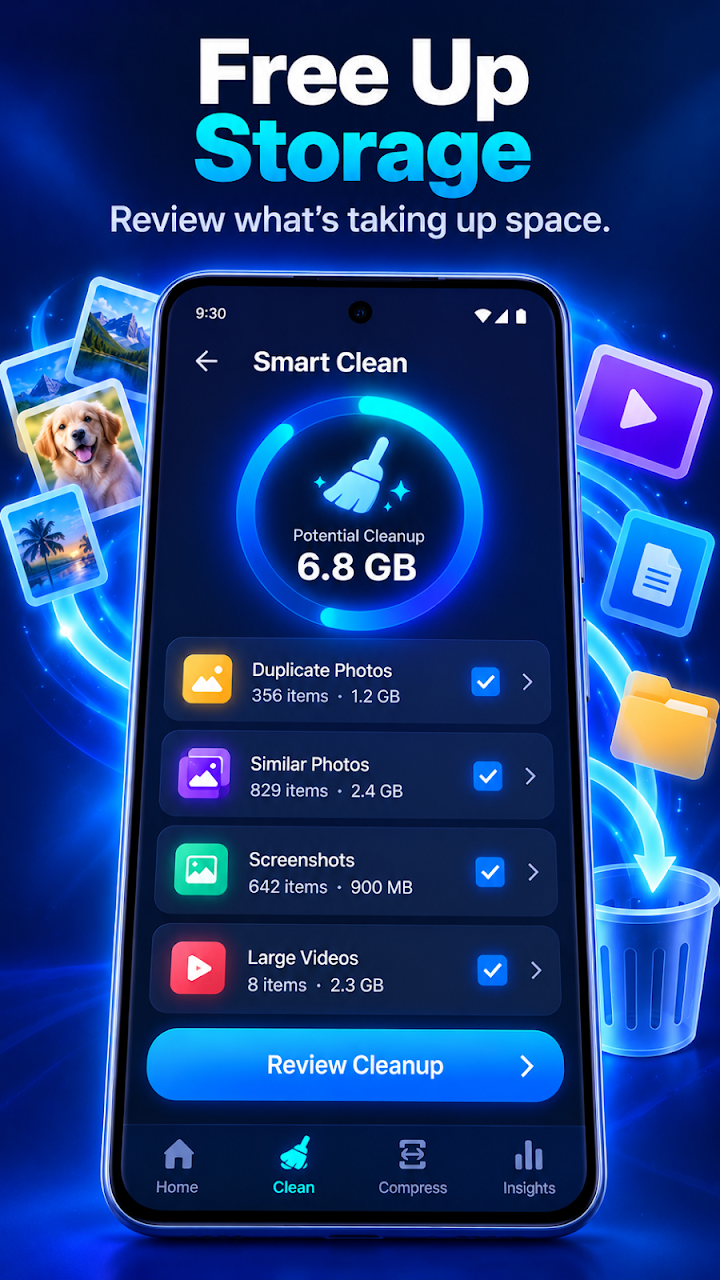
About AI Cleaner: Storage Cleanup
Make space and keep your media organized with AI Cleaner.
AI Cleaner helps you understand what is using your device storage, find photos and videos worth reviewing, identify duplicate and similar media, discover large files, and compress media when you want to save space.
You stay in control. AI Cleaner helps find and organize potential cleanup opportunities, while you decide what to keep or remove.
SMART STORAGE CLEANUP
See your storage at a glance and quickly discover files that may be taking up unnecessary space.
Use Smart Clean to review:
- Duplicate photos
- Similar photos
- Screenshots
- Large photos and videos
- Other supported large files
Review selected items before removing them.
DUPLICATE PHOTO CLEANER
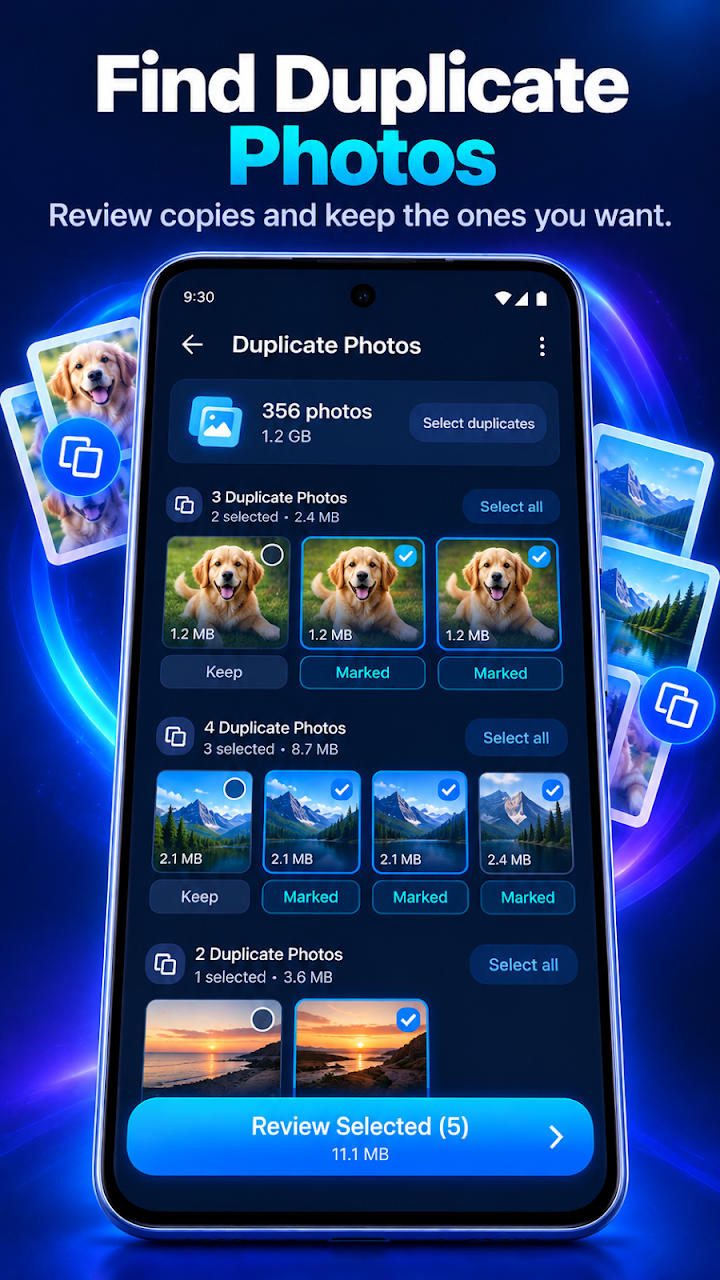
Find duplicate photos in your media library and review matching groups together.
AI Cleaner makes it easier to compare copies and decide which photos you want to keep.
SIMILAR PHOTO FINDER
Taken several versions of the same photo?
AI Cleaner can group similar shots together so you can review them without searching through your entire gallery.
Where supported, smart recommendations can help highlight a preferred shot based on image characteristics such as sharpness and image quality. The final choice is always yours.
BLURRY PHOTO REVIEW
Find photos that may be blurry or lower quality and review them in one place.
Nothing is automatically removed. You choose which photos stay on your device.
SCREENSHOT CLEANER
Screenshots can accumulate quickly.
Browse and review screenshots by age to find images you may no longer need, including older screenshots that have been sitting in your library.
LARGE FILE CLEANER
Discover files that use the most storage.
Quickly review supported:
- Large videos
- Large photos
- Downloads
- Documents
- Other supported files
Sort supported files by size or date to make storage management easier.
PHOTO & VIDEO COMPRESSION
Want to save space without immediately deleting your media?
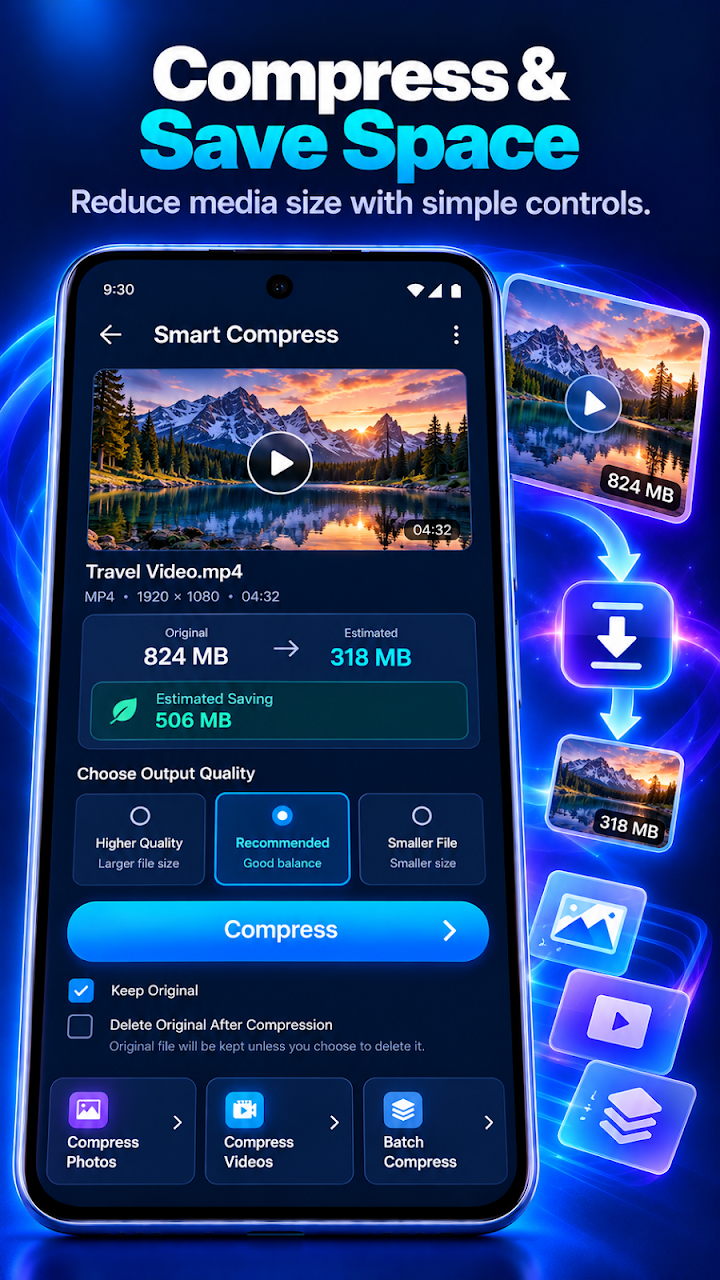
Compress supported photos and videos with simple quality options.
Before compression, AI Cleaner can show estimated output sizes so you can choose the option that works for you.
You can choose whether to keep the original file after compression.
SWIPE CLEAN
Review your media one item at a time with a simple swipe experience.
Mark photos to keep or review for deletion, then confirm your selections when you are finished.
STORAGE INSIGHTS
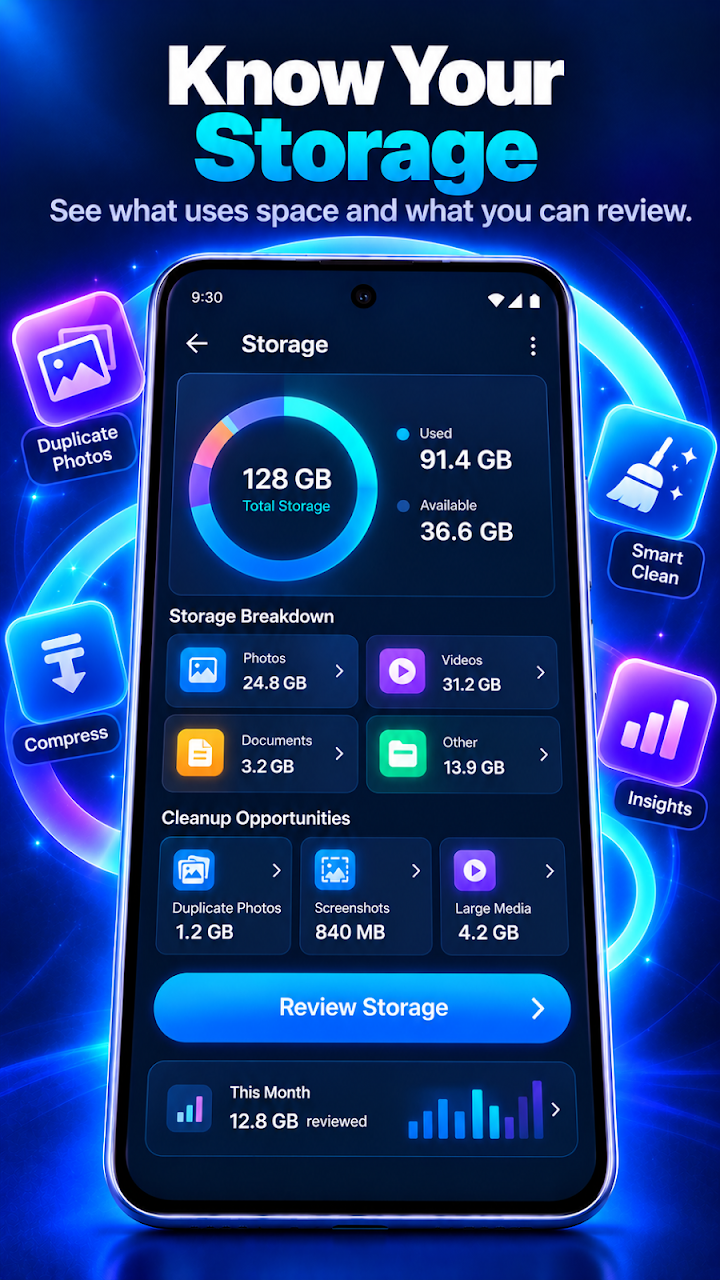
Understand how your device storage is being used.
View supported storage categories such as:
- Photos
- Videos
- Documents
- Other files
AI Cleaner can also highlight cleanup opportunities so you know where to start.
SMART CLEANUP SUGGESTIONS
Get useful suggestions based on the media and supported files found on your device.
For example, AI Cleaner may help you discover:
- Duplicate photos
- Similar photos
- Old screenshots
- Large videos
- Screen recordings
- Large files
Suggestions are designed to help you review your storage. AI Cleaner does not automatically delete your personal media.
CLEANUP HISTORY & INSIGHTS
Keep track of completed cleanup actions and see how much storage you have reviewed or cleared over time.
PRIVACY-FOCUSED CLEANING
Your photos and videos are personal.
Where a feature is designed for on-device processing, analysis is performed locally on your device. AI Cleaner only requests permissions needed to provide enabled features.
You remain in control of deletion and media-management actions.
WHY AI CLEANER?
- Find duplicate and similar photos
- Review blurry photos and screenshots
- Discover large photos, videos and supported files
- Compress supported photos and videos
- Review old media
- Understand storage usage
- Receive useful cleanup suggestions
- Choose what stays and what gets removed
Take control of your storage with a cleaner designed around review, organization and simple cleanup.
Install AI Cleaner and start reviewing your storage today.
AI Cleaner: Storage Cleanup – Free Up Phone Storage, Remove Duplicates & Compress Media (Android Guide)
AI Cleaner: Storage Cleanup is a free, privacy-focused phone storage cleaner for Android by All Tools Team. Launched on Google Play in October 2026, it helps you understand what is eating your device storage — finding duplicate and similar photos, blurry shots, old screenshots, and large files — while you stay in control of every deletion. With ~600,000 installs in its first weeks and a ~4.5-star rating, it is one of the fastest-growing new tools apps on the Play Store.
What Is AI Cleaner: Storage Cleanup?
AI Cleaner: Storage Cleanup (package com.ai.cleaner.storagecleanup.cleanup) is a storage-management utility for Android developed and published by All Tools Team. Unlike aggressive "one-tap boost" cleaners, it is built around a review-first workflow: the app surfaces cleanup opportunities — duplicate photos, similar shots, blurry images, old screenshots, large videos and files — and you decide what stays and what gets removed. Nothing is deleted automatically.
The app appeared on Google Play in October 2026 and quickly reached #7 on the Top New Free Tools chart in South Korea, with all of its ~600,000 installs arriving within its first month (figures from third-party tracking, October 2026).
Important note: there is a different app with a nearly identical name — "AI Cleaner: Storage Cleanup" by BEAR LAB (package com.bearlab.aicleaner.storagecleanup) — published in August 2026. Always confirm the developer is All Tools Team and the package is com.ai.cleaner.storagecleanup.cleanup before installing.
Core Features
Smart Storage Cleanup
Smart Clean gives you your storage at a glance and quickly surfaces files that may be taking up unnecessary space: duplicate photos, similar photos, screenshots, large photos and videos, and other supported large files. You review the selected items before removing anything.
Duplicate Photo Cleaner
Finds duplicate photos in your media library and lets you review matching groups together, so you can compare copies side by side and decide which photos to keep.
Similar Photo Finder
Take several versions of the same shot? The app groups similar photos together so you can review them without digging through your entire gallery. Where supported, smart recommendations highlight a preferred shot based on image characteristics such as sharpness and quality — but the final choice is always yours.
Blurry Photo Review
Finds photos that may be blurry or lower quality and gathers them in one place for review. Nothing is removed automatically; you choose which photos stay on your device.
Screenshot Cleaner
Screenshots pile up fast. Browse and review screenshots by age to find images you may no longer need — including older ones sitting forgotten in your library.
Large File Cleaner
Discovers the files using the most storage: large videos, large photos, downloads, documents, and other supported files. Sort by size or date to make storage management easier.
Photo & Video Compression
Want to save space without deleting memories? Compress supported photos and videos with simple quality options. Before compression, the app can show estimated output sizes so you can pick the option that works for you — and you choose whether to keep the original file afterward.
Swipe Clean
Review your media one item at a time with a simple swipe experience: mark photos to keep or flag for deletion, then confirm your selections when finished.
Storage Insights & Cleanup History
See how your device storage is being used across categories such as photos, videos, documents, and other files, with cleanup opportunities highlighted. A cleanup history view tracks completed actions and how much storage you have reviewed or cleared over time.
Privacy-Focused Cleaning
Your photos and videos are personal. Where a feature is designed for on-device processing, analysis happens locally on your device. The app only requests the permissions needed for the features you enable, and you remain in control of all deletion and media-management actions.
Key Features
- Find duplicate and similar photos
- Review blurry photos and old screenshots
- Discover large photos, videos, and supported files
- Compress photos and videos with quality options
- Swipe-based media review
- Storage insights and cleanup history
- Smart cleanup suggestions (duplicates, screenshots, large files, screen recordings)
- On-device, privacy-focused processing where designed
- Review-first workflow — nothing deleted automatically
- Free to use
Specifications
| Specification | Details |
|---|---|
| App name | AI Cleaner: Storage Cleanup |
| Developer | All Tools Team |
| Platform | Android |
| Category | Tools |
| Google Play package | com.ai.cleaner.storagecleanup.cleanup |
| Release | October 2026 (per third-party Play Store tracking) |
| Rating | ~4.5 stars from 1,100+ early ratings |
| Installs | ~600,000 (tracking estimate, Oct 2026) |
| Price | Free |
| Distribution | Google Play |
How to Download Safely
- Open Google Play on your Android device.
- Search for AI Cleaner: Storage Cleanup by All Tools Team.
- Confirm the package
com.ai.cleaner.storagecleanup.cleanup(watch out for the similarly named BEAR LAB app). - Tap Install.
Official listing: AI Cleaner: Storage Cleanup on Google Play
Advantages & Limitations
Advantages
- Review-first design — you approve every deletion
- Comprehensive toolkit: duplicates, similar shots, blur, screenshots, large files, compression
- Privacy-focused with on-device processing where designed
- Storage insights and cleanup history help you track progress
- Free, with a strong early rating (~4.5 stars)
Limitations
- Very new app — long-term reliability and update cadence are unproven
- Smart recommendations for "best shot" are only available where supported
- Install and rating figures are early and will shift quickly
Who Should Use It?
Anyone whose phone storage is full of duplicate burst shots, blurry photos, forgotten screenshots, or oversized videos. It suits users who want an AI-assisted organizer but are nervous about cleaners that delete things on their own — here, every removal needs your confirmation.
FAQs
Is AI Cleaner: Storage Cleanup free?
Yes — the app is listed as free (0 USD) on Google Play.
Does it delete my photos automatically?
No. The app finds and organizes cleanup candidates; you review and confirm before anything is removed.
Who made AI Cleaner: Storage Cleanup?
All Tools Team. Be careful: a different developer (BEAR LAB) publishes an app with a nearly identical name — check the developer and package ID before installing.
Can it compress photos without deleting them?
Yes. It compresses supported photos and videos with quality options, shows estimated output sizes, and lets you keep the original file.
Is my data private?
According to the official listing, where features are designed for on-device processing, analysis happens locally on your device, and the app only requests permissions needed for enabled features. Review the listing's data-safety section before installing.
When was AI Cleaner: Storage Cleanup released?
It appeared on Google Play in October 2026, per third-party Play Store tracking data (not an official announcement date).
Practical Takeaway
A review-first, privacy-conscious storage cleaner that grew to ~600K installs in its first month. Install free from the official All Tools Team listing — and double-check the package ID to avoid the similarly named copycat.